 KittyLand
Taskbar FREE
Running apps and windows appear as buttons. Pin them, drag to reorder, and turn on a quick-launch area.
The Windows taskbar and Start menu you know, on your Mac. Kitty Task is a macOS taskbar that shows your running apps and windows at a glance and switches, minimizes and restores with a click. It never changes the Dock or other apps' windows.

The taskbar, the Start menu and the window list, with the look and behavior you remember. All free.
Running apps and windows appear as buttons. Pin them, drag to reorder, and turn on a quick-launch area.
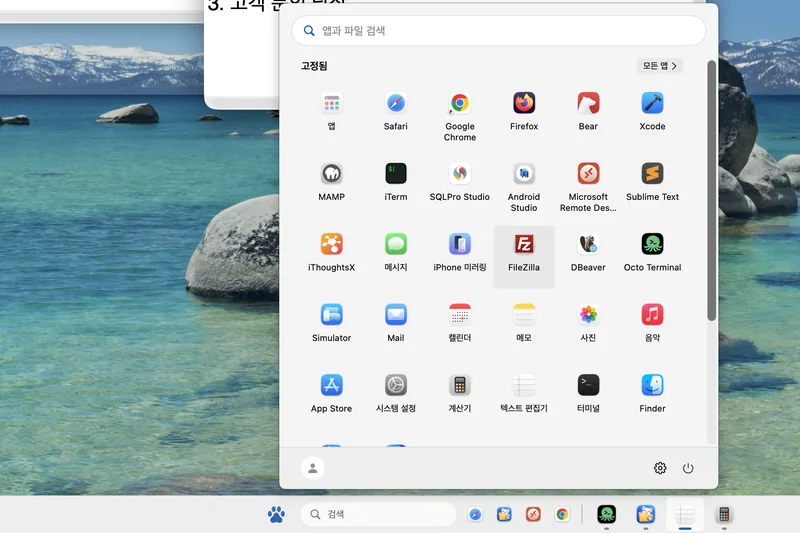
App search, pinned apps, recent items and all apps. One ⌃Esc opens it.
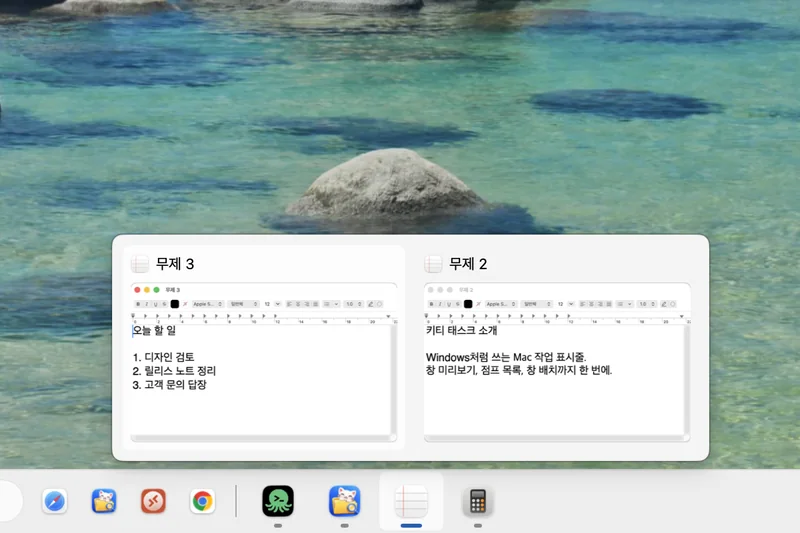
Point at a button and that app's windows appear as a list, so you can jump straight to the one you want.
The screens are captures of the real app. Details may differ a little on your Mac.
Pick a theme and the alignment, button size, search box and Start menu all take on its look. You can still change each item afterwards, and every theme is free.
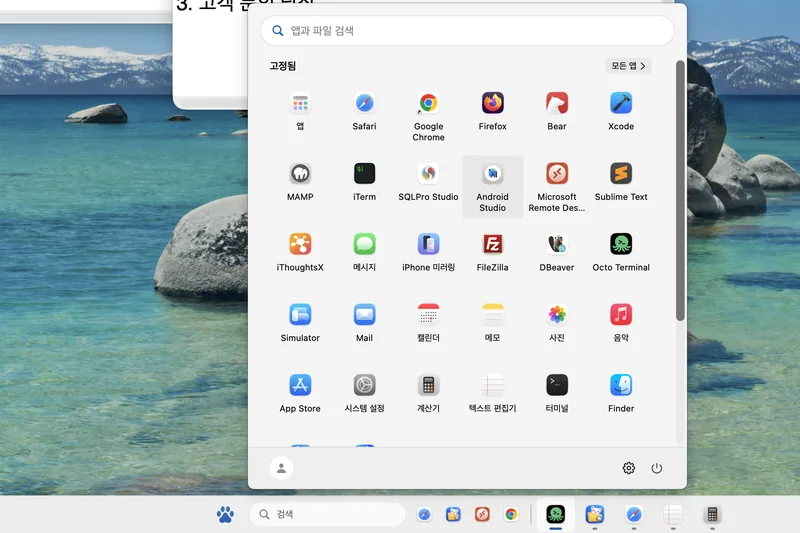
Buttons gather in the middle, with the search box and Start menu floating lightly above. A bright, soft feel.
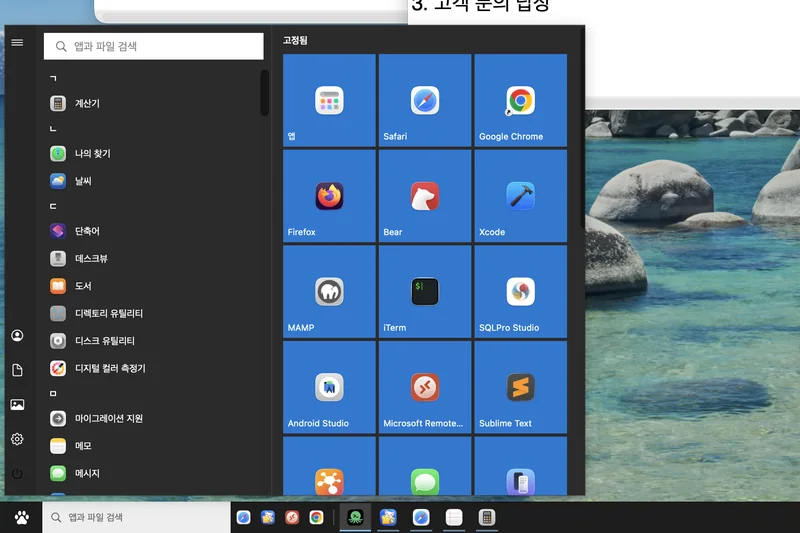
Buttons start at the left edge and the Start menu opens as dark tiles. A crisp, solid feel.
Themes are drawn by Kitty Task. They do not change other apps' windows.
It is not just a look-alike. Right-click menus, window snapping and previews are moved over one by one. The screens below are captures of the real app.
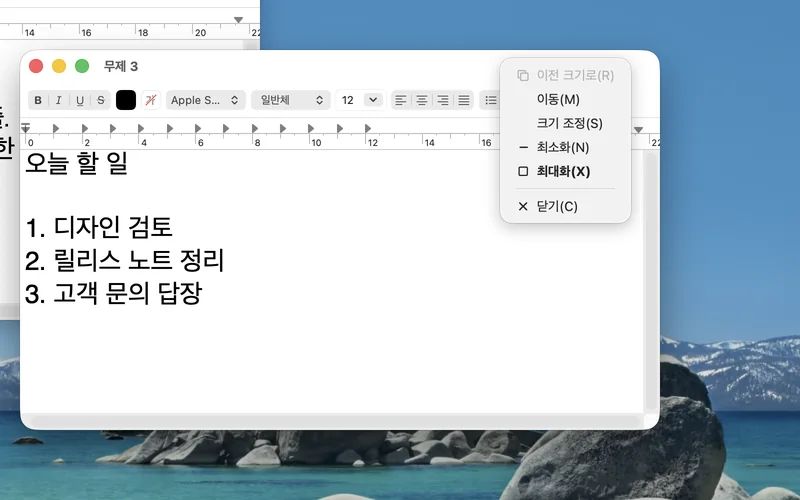
Right-click a window's title bar for Restore, Move, Size, Minimize, Maximize and Close. Move and Size work with the arrow keys.
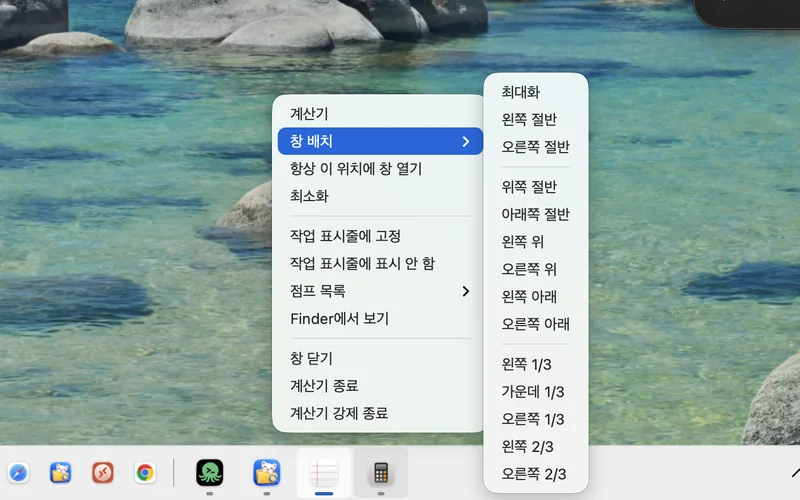
Right-click a taskbar button and pick Window layout to put the window in the left or right half, the top or bottom, or a third or two thirds.
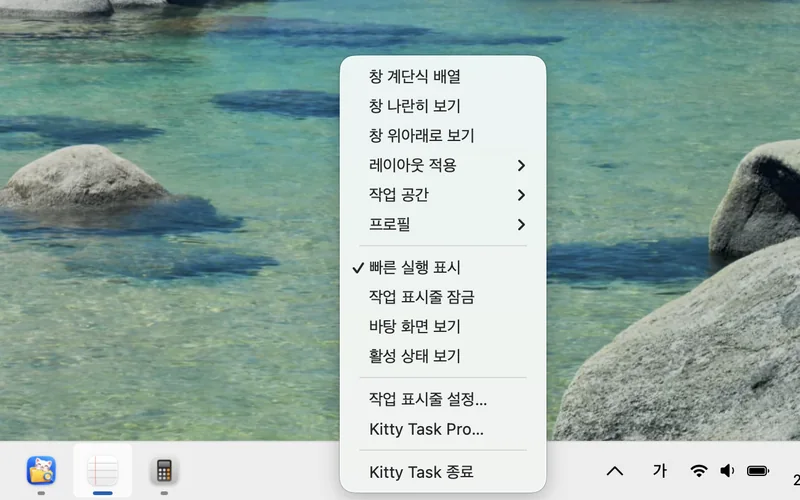
Cascade, tile or stack your windows, show the desktop, or jump to the taskbar settings. Layouts, workspaces and profiles are Pro.
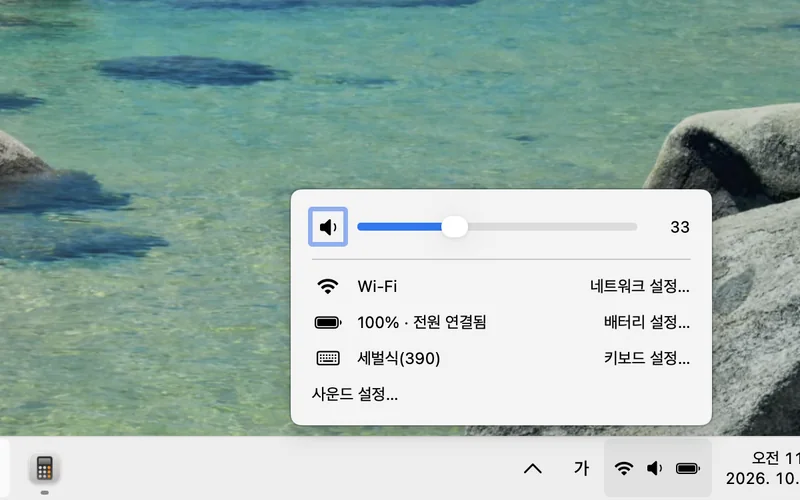
Check volume, Wi-Fi, battery and keyboard settings in one place, and click the clock for the calendar.
Click a running app's button and it does what fits the moment: bring a single window forward, minimize it when it is already in front, restore it when minimized, or open the window list when there are several.
A Mac has no standalone Windows key, so ⌃ and ⌥ combinations stand in for it. Turn them on or off in Settings; they were chosen to stay clear of other apps.
If you juggle many windows, Pro takes the way you work a step further.
Point at a button to see thumbnails of its windows. Needs the Screen Recording permission (macOS 14 or later).
Snap windows into thirds, quarters and column layouts you design.
Save where your windows are and bring the whole arrangement back later.
Each display gets its own taskbar with the windows on that display.
The taskbar, Start menu and window switching stay free. Choose Pro if you want the window management tools.
Payment opens once review is complete. You can try Pro first with the 7-day free trial.
Things worth knowing before you install.
No. It does not change or turn off the Dock, and it never touches other apps' window frames. It adds a separate taskbar at the bottom (or top) of the screen.
Yes. Without the Accessibility permission it runs in a limited mode that shows one button per app instead of per window. Window-level switching and the window list work once you turn the permission on.
Seven days, once per Mac. Start it in the Pro tab of Settings. When it ends, the free features keep working.
On Apple Silicon and Intel Macs running macOS 13 or later. Window previews (Pro) need macOS 14 or later. A release is being prepared; the download will be announced here and on the updates page.