 KittyLand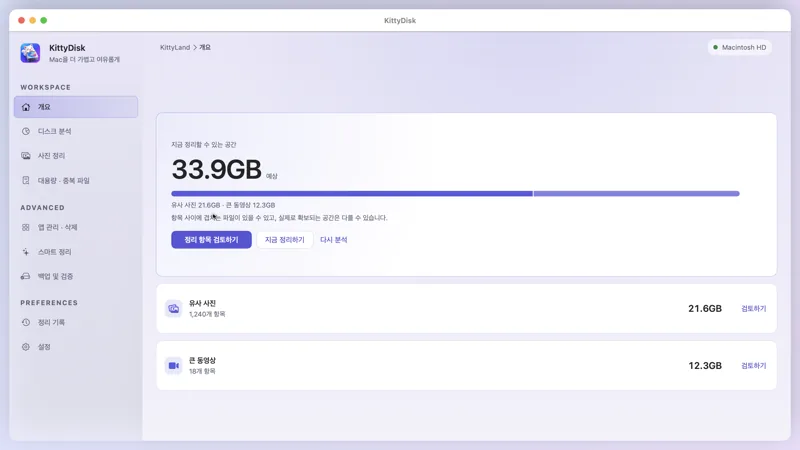
Overview
One button analyzes caches, photos and large videos and adds up the space you can free.
See your storage at a glance, then pick large files, duplicate files, similar photos and leftover app data and send them to the Trash. Analysis only reads, and every cleanup can be undone.

One analysis shows where and how much you can clean. You always choose what to remove.
One button analyzes caches, photos and large videos and adds up the space you can free.
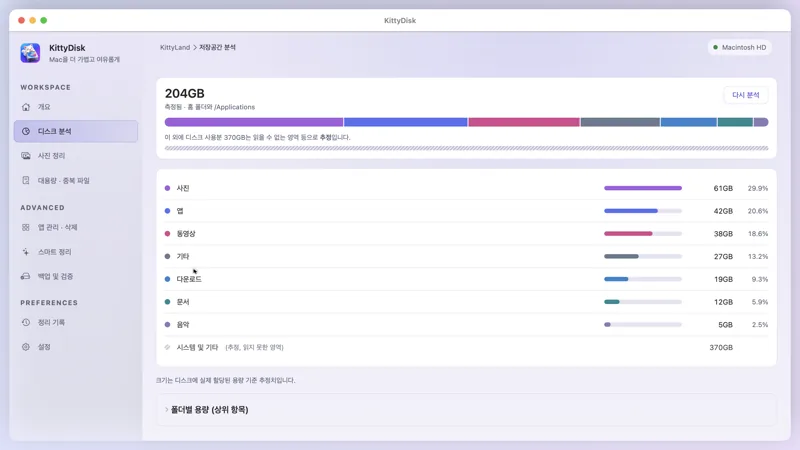
See space by kind (photos, apps, videos, downloads…) with bars and shares. Areas it cannot read are marked as estimates.
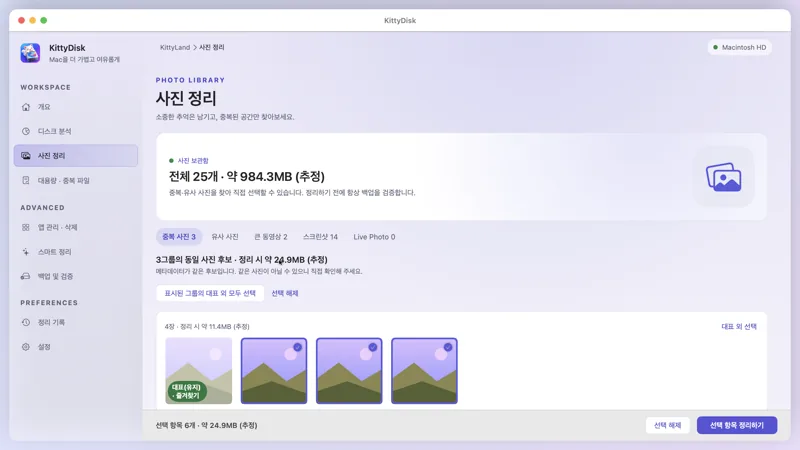
Keep one representative of identical photos and screenshots and pick the rest. Back up and verify originals before cleaning.
Screens show sample data.
Everything you clean goes to the Trash only and is recorded in the cleanup history. Picked something by mistake? Undo it right away.
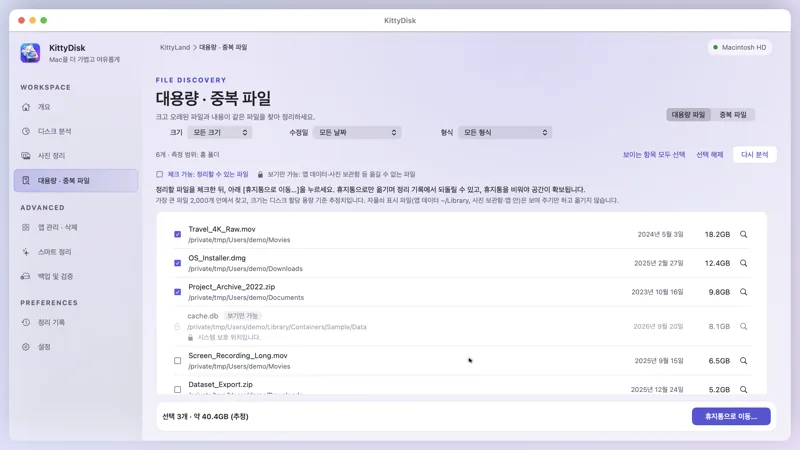
Browse big files by size and check the old ones first. Files that must not be moved, like app data, show a lock and are view-only.
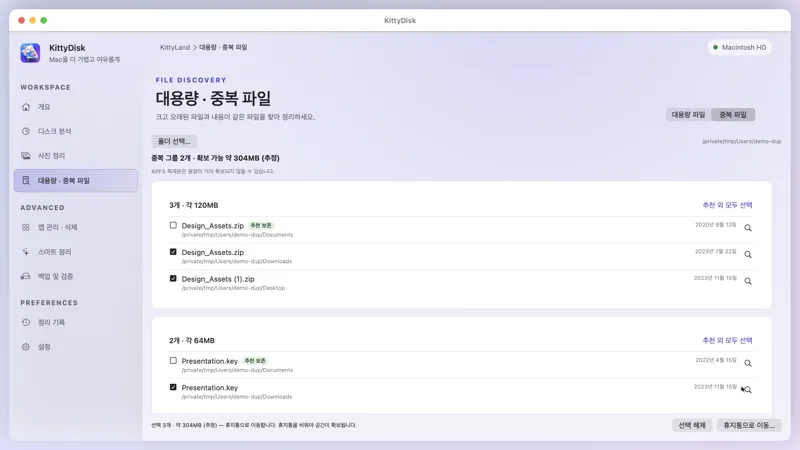
Files with the same content are grouped, with one recommended to keep. Selecting every copy at once is blocked.
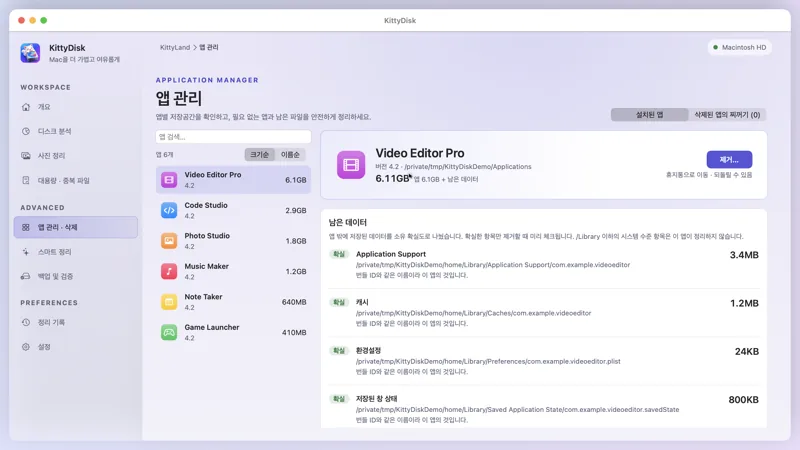
See an app's size and its scattered data (caches, preferences, saved window state) by confidence. Remove an app together with what it left behind.
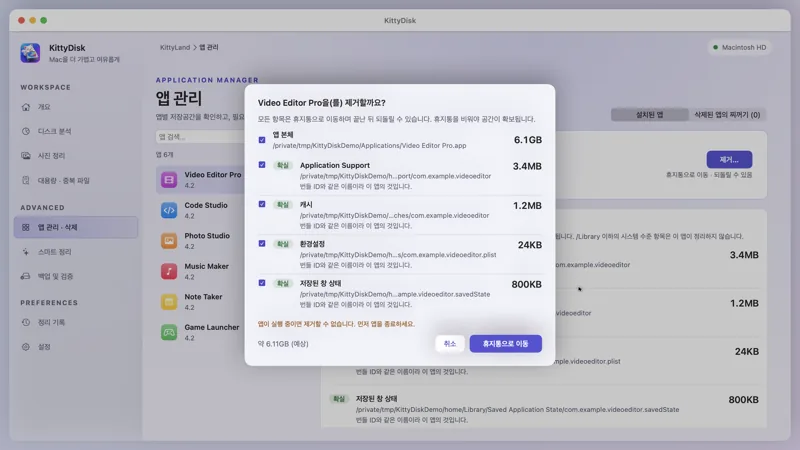
It shows what will be removed and how much first, and moves it to the Trash only after you confirm. Running apps and system apps are blocked.
Analysis and previews stay free. Only the actions that move files need Pro.
Pick duplicate and similar photos and screenshots in one go.
Copy originals to an external disk or NAS and verify them before cleaning.
Find an app and its leftovers, confirm, and move them to the Trash together.
Clean caches confirmed to be safe in one step.
Anyone can see what could be cleaned, for free.
Enter the code in the app's Pro window and it turns on right away. A code is tied to one Mac. The 7-day free trial can be used once.
From safety and privacy to Pro codes.
No. Every cleanup moves items to the Trash and is recorded so you can undo it in the app. Space is freed when you empty the Trash.
No. Analysis happens entirely on your Mac. The server only gets what is needed to check a Pro code or the trial; file lists and photos are never sent.
Places where moving files could break an app, such as app data (~/Library) or inside the Photos library, are shown but never moved.
Enter the code in the app's Pro window (Pro in the sidebar). A code is tied to one Mac; deactivate it first to use it on another. The 7-day free trial starts from the same window.